管理文档版本
Docusaurus 可以管理文档的多个版本。
创建文档版本
发布项目的 1.0 版本:
npm run docusaurus docs:version 1.0
docs 文件夹将被复制到 versioned_docs/version-1.0 中,并创建 versions.json 文件。
您的文档现在有两个版本:
1.0位于http://localhost:3000/docs/(构建后),对应 1.0 版本文档current位于http://localhost:3000/docs/next/,对应 即将发布的未发布文档
添加版本下拉菜单
为了在版本之间无缝导航,请添加版本下拉菜单。
修改 docusaurus.config.ts 文件(如果使用 TypeScript):
docusaurus.config.ts
export default {
  themeConfig: {
    navbar: {
      items: [
        {
          type: 'docsVersionDropdown',
        },
      ],
    },
  },
};
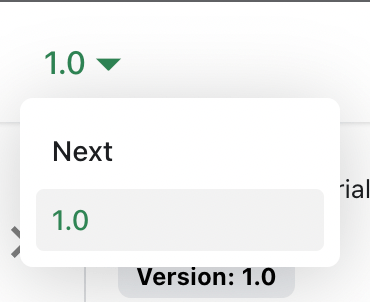
文档版本下拉菜单将出现在导航栏中:
更新现有版本
可以在各自的反向文件夹中编辑版本化文档:
versioned_docs/version-1.0/hello.md更新http://localhost:3000/docs/hellodocs/hello.md更新http://localhost:3000/docs/next/hello